
Linux VPS
Sharing a VPS between Docker, Java and a database
Build a measured memory budget for a VPS running containers, Java and a database, then verify limits and recovery behaviour.
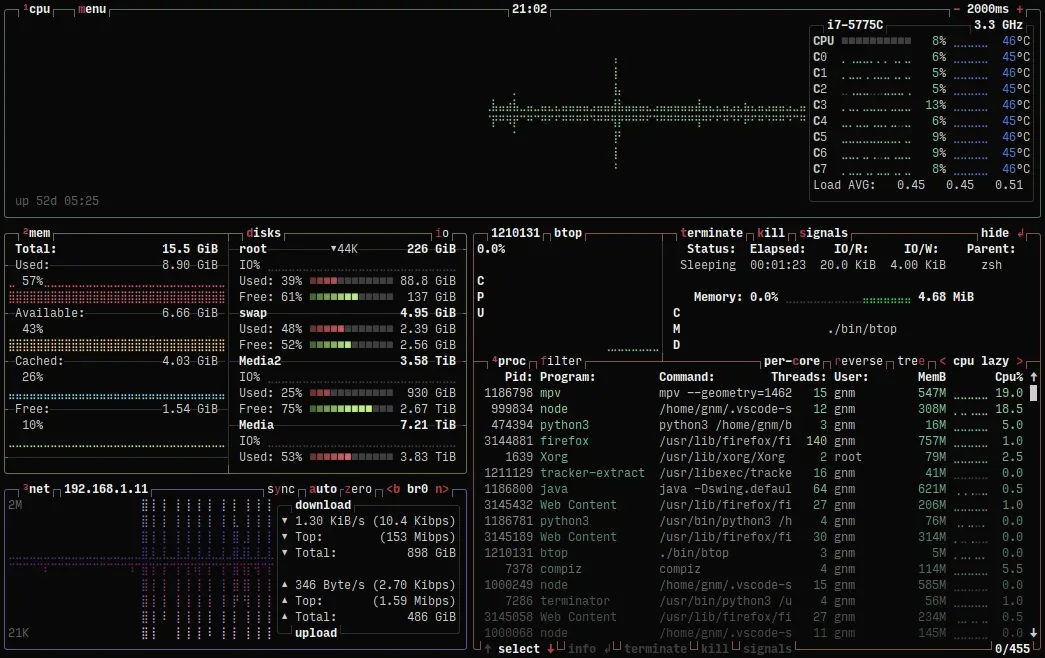
A game server, a small database and a web application can share a VPS, but each needs room to grow. Setting a Java heap equal to the VPS memory leaves no budget for the operating system, native allocations or the other services. Container limits help you separate workloads; they do not add physical capacity.
Start with the workload you need to keep available. A public game server and its database may need different maintenance windows from a development application. Decide which optional job you can stop during a busy evening before the machine reaches its memory limit.
Measure the VPS and the containers
free -h
docker stats --no-stream
docker inspect --format '{{.HostConfig.Memory}} {{.HostConfig.MemorySwap}}' CONTAINER_NAME
Replace the placeholder with a container you own. The inspection reports configured limits, while the statistics show a point-in-time view. Collect several samples during startup, a busy player session and a backup. One quiet sample cannot establish a safe peak.
Be careful when comparing graphs. On Linux, the Docker statistics command subtracts some cache from its displayed memory usage. Other dashboards can report a different figure from the same workload. Record which metric you used so tomorrow's comparison measures the same thing.
Write a memory budget before changing limits
List the guest operating system, Docker services, Java process, database and maintenance jobs. Add space for concurrent work such as a database export while players explore new chunks. Treat any numerical starting point as a hypothesis that your own measurements must support.
For example, on a 16 GiB guest you might test a 10 GiB game-container ceiling, a 2 GiB database ceiling and 4 GiB left for the guest and other work. That is an illustrative budget, not a recommendation for every 16 GiB server. If measured demand exceeds it, move a workload or increase capacity before raising several limits together.
Set the Java heap below its container ceiling. Java also uses memory for threads, class metadata, native code and buffers. Our Minecraft RAM guide covers workload sizing; the container boundary needs to account for the whole process.
Understand the swap setting you choose
Docker's resource-constraint documentation defines --memory-swap as the combined memory-and-swap allowance when a memory limit exists. It does not mean additional swap by itself. Equal positive memory and memory-swap values prevent that container from using swap.
Leaving swap settings implicit can produce a result you did not intend. Check host swap availability and kernel support, then record the policy beside the container configuration. Sustained swapping can make a game server unresponsive even though the process remains alive. Watch latency and swap activity together.
Do not disable out-of-memory safeguards to hide the problem. A limit that protects the guest can still terminate the application inside that container. Test recovery and preserve persistent volumes before changing deployment settings. Keep the previous configuration available for rollback.
Verify the effective boundary
After a planned configuration change, inspect the container again and observe a representative workload. Some deployment systems recreate containers to apply settings; plan for that interruption. Use the container inspection reference rather than assuming an edited file has reached the running service.
On a cgroup v2 system, an administrator can also examine the workload's memory events. The kernel documentation describes counters for limit pressure and out-of-memory events. Locate the actual workload cgroup through your service manager or runtime; do not assume every host uses the same directory layout.
Alert before players notice
Watch guest available memory, container usage, swap activity and unexpected exits. Pair those with player latency or application response time. A memory graph alone cannot distinguish a healthy file cache from a database or game process struggling under pressure.
Review the budget after adding plugins, worlds or a second application. Keep changes in a short maintenance record, and follow the wider checks in our VPS monitoring guide. If you keep reducing useful workloads to make room, separation may be easier to operate than another round of tighter limits.