Minecraft
Minecraft Server Setup Checklist Before Launch
Check joining, permissions, spawn protection, plugins and backups before inviting your first players.

Before launching a Minecraft server, test the supported clients, account access, spawn protection, permissions, plugins and a completed recovery backup. Join with an ordinary player account, not only an operator account. Start with a small test group so you can correct problems before sharing the address with your whole community.
Decide whether you are inviting a fixed group or opening a public community. That decision affects access, moderation and how much preparation you need. Confirm the opening time and who will respond to reports.
Write down the supported clients
Record the Minecraft edition and server version you intend to support, then test that combination. Paper’s getting-started documentation lists Java requirements by Minecraft release. Confirm the runtime for your chosen build rather than changing it because another server uses a newer Java version.
For crossplay, test with an actual Bedrock client as well as Java. Geyser’s current setup documentation describes version and transport requirements that can change between releases. Follow the instructions for your installed build, use an allocated port and confirm access from outside the hosting network. Our Geyser and Floodgate guide explains the CloudExa setup checks.
Choose who can join and who can administer
For a private group, use the server’s allowlist and test both an invited account and an account you have not added. For a public server, decide who will handle reports and what actions staff may take. Keep operator access limited; a moderator who handles chat does not necessarily need permission to change the world or run console commands.
For a standalone authenticated Java server, retain the intended account-authentication settings. A proxy setup needs a separate design: PaperMC’s Velocity security guidance explains why backend servers need protection from direct connections and why modern forwarding does not replace a firewall. Ask support to confirm host-level restrictions if you cannot manage them yourself.
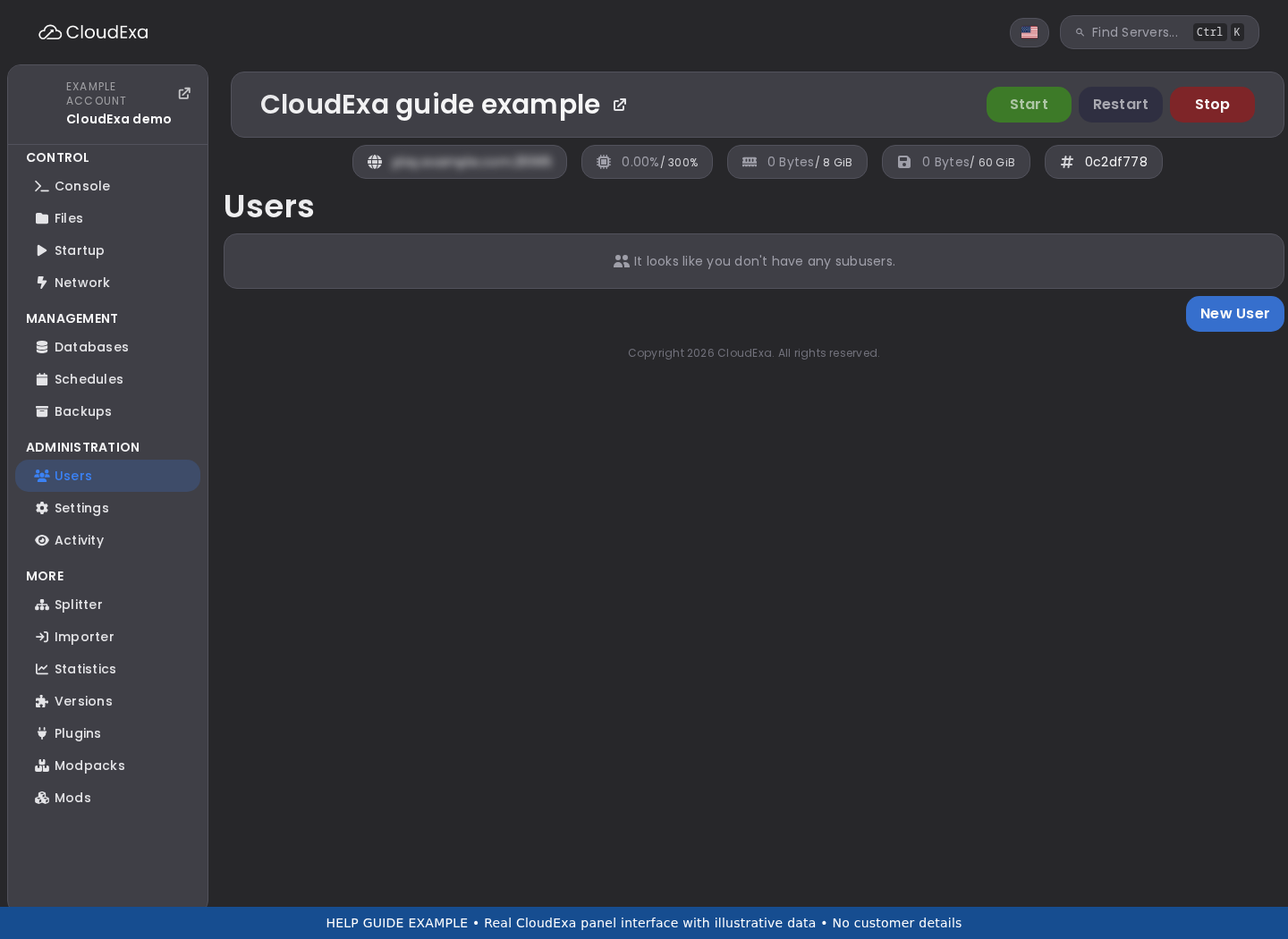
Keep a record of staff permissions and test them using the role you actually assign. Check the operators and whitelist guide before giving broad access. Invite teammates through their own panel accounts so you can remove access later without sharing the owner’s password.
Check the first ten minutes of play
Join as a new player and follow the route you expect newcomers to take. Confirm the spawn location, instructions and first commands. Try the protection rules with an ordinary account: can a visitor break spawn, open someone else’s chest or use a command you meant to reserve for staff? Write down the result and fix the specific permission or region involved.
Test the features you advertise. If you promise player shops, verify a purchase and the resulting balance. If you use separate worlds, check the portal in both directions and the inventory rules on return. Ask another person to follow the instructions without coaching; their questions often reveal a missing step.
Prepare a recovery point and a change log
Take a completed backup before opening, including external plugin databases where needed. Keep the version list and configuration with it. Use the game backup guide for the panel steps. Give the checkpoint a name you can recognise if you need it during a busy session.
Record the changes you make after the test. If a problem appears on opening day, knowing that you changed a permission group or installed a plugin that morning gives you somewhere to start. Change one thing at a time while diagnosing it. Repeated restarts and several simultaneous plugin replacements make the result harder to interpret.
Run a small opening session first
Invite a manageable group for a normal play session before a wider announcement. Watch the console, ask players about joining and test a reconnect after they have earned items or made progress. Keep an eye on storage as the world expands. The aim is to find problems with your setup while you can still speak to the affected players.
Publish a short description of the server, its supported clients, rules and support route. Tell players where you announce maintenance and how to report a problem without posting passwords or private logs. If you plan paid features, read the current Minecraft Usage Guidelines before advertising them; a launch checklist does not establish that a store complies with those terms.
After the session, review the reports and decide which changes need another test. Keep the opening checkpoint until you have checked player data and permissions. If you need help interpreting a startup error, use the Minecraft log guide to collect a useful excerpt rather than reinstalling the server.
Still choosing a region? Read how to choose a Minecraft server location, then prepare your backup and restore plan before sharing the address.